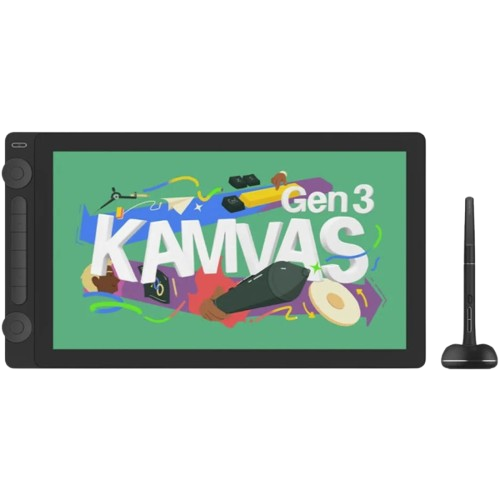
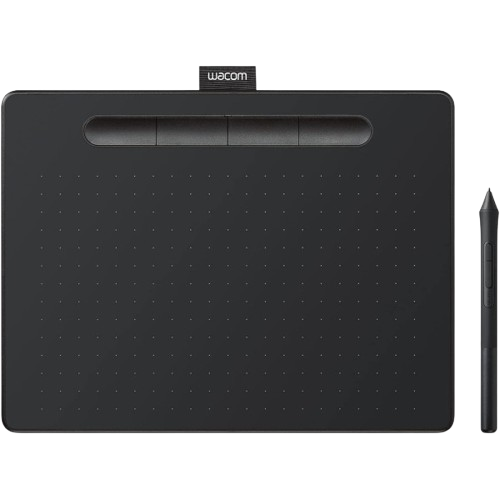
The three types of drawing device explained side by side — what each one is, how it feels to use, what it costs in Kenya, and a short decision framework to help you pick.
Introduction
Before you compare prices or specific models, there is one decision that shapes everything else: do you want a pen tablet, a pen display, or a pen computer? These are three different types of drawing device, they cost very different amounts, and the right one for you depends less on your skill level than on your working setup.
This article works through that choice in detail. It does not repeat the full budget breakdown or model-by-model recommendations already in our complete guide to buying a drawing tablet in Kenya. Instead it goes deeper into what each device type actually is, how each one feels to use, and how to reach a sensible decision. The single most useful question, and the one most guides skip, is whether you already own a computer. We treat that as the turning point of the whole decision.
Pen Tablet, Explained
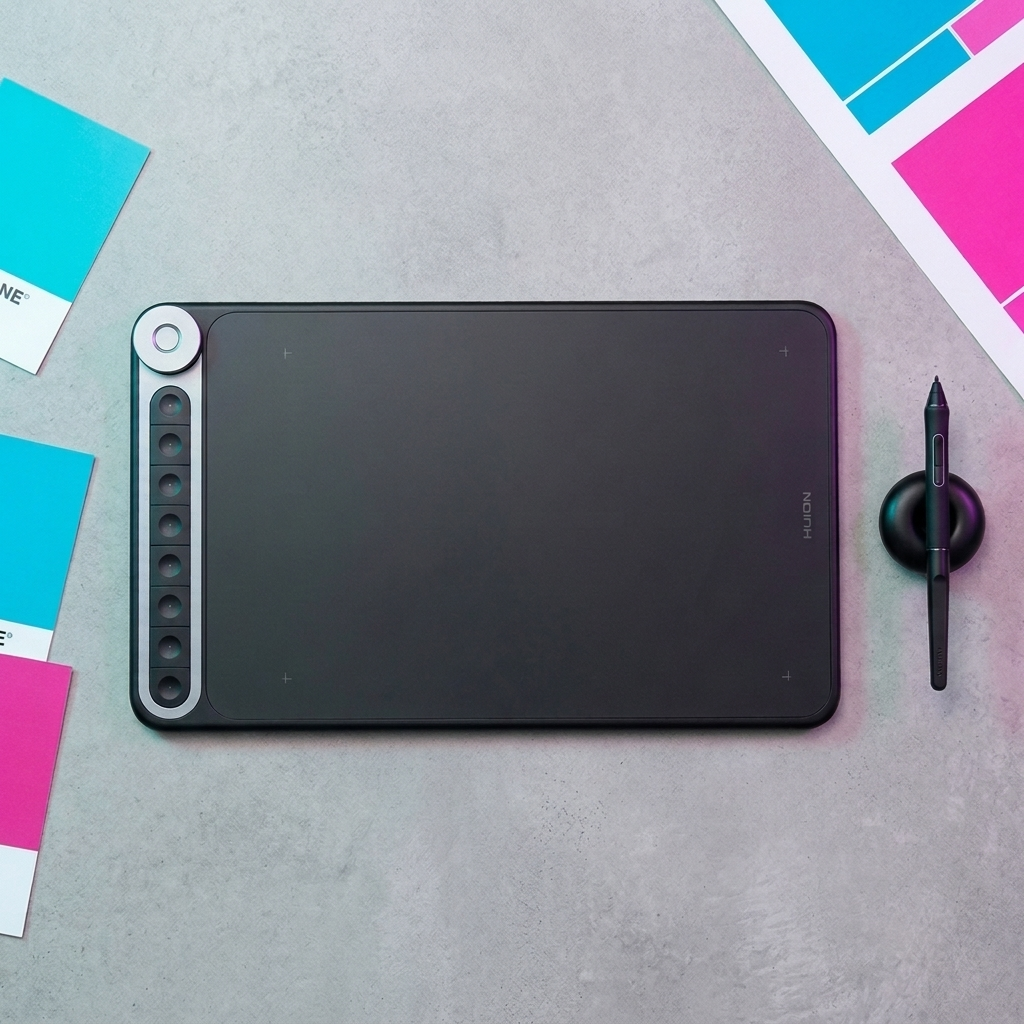
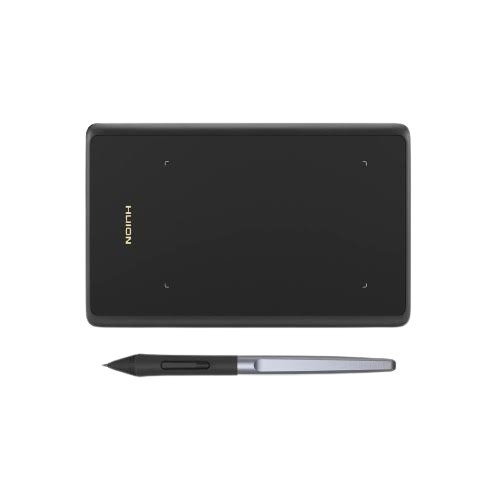
A pen tablet, sometimes called a graphics tablet, is a flat pad with no screen of its own. You draw on the pad with a pressure-sensitive pen while looking at your computer monitor. The tablet sends the pen's position, pressure and tilt to your computer, and your drawing appears on the monitor rather than under your hand.
It connects to a desktop or laptop by USB cable or, on some models, by Bluetooth. It cannot work on its own. The computer runs your drawing software, and the pen tablet is simply the input device, in the same way a mouse or keyboard is.
The part that puts people off is the hand-eye coordination. Your hand moves on the pad in front of you, but you are watching the result on a screen a little further away. The adjustment can feel strange at first, a bit like using a mouse felt strange the first time, but with regular use many people become comfortable with the hand-eye coordination and stop thinking about it. Some artists never fully warm to it and prefer a screen. Both reactions are normal.
What you get in return is real. A pen tablet is the cheapest way into digital drawing. It is thin and light, with our smallest model weighing around 105 grams, so it drops into a bag easily. There is no screen to crack, scratch or wear out, so it tends to last a long time. And because it is just an input device, you can move it to a new computer years from now without replacing it.
A pen tablet suits people on a tight budget, students who already have a laptop for coursework, anyone who travels or works from more than one place, and people who simply want the lowest-risk way to find out whether digital drawing is for them. Browse the current range under Pen Tablets.
Pen Display, Explained
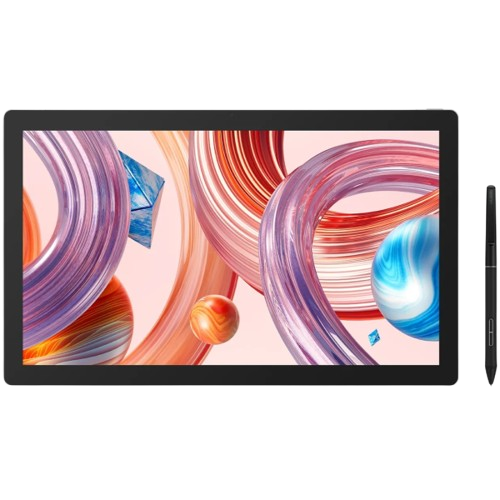
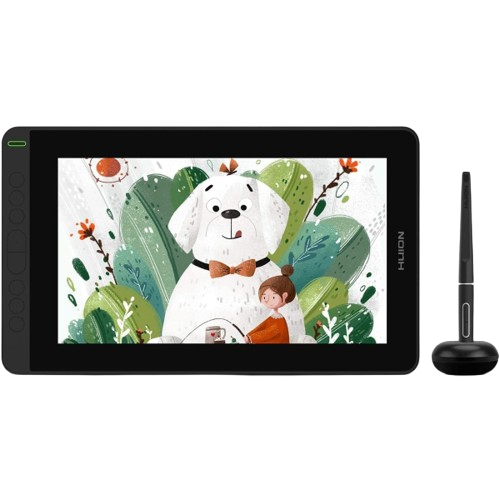
A pen display has a screen built in. You draw directly on that screen with the pen, and your line appears right under the pen tip, the same way ink appears under a real pen on paper. For anyone who finds it awkward to look away from their drawing hand, this removes that problem entirely.
A pen display still needs to be connected to a separate computer. It is a screen you draw on, not a computer in its own right. Your laptop or desktop runs the software; the pen display shows it and lets you draw on it.
Connection methods vary by model, and this is worth checking rather than assuming. Some pen displays connect with a single USB-C cable to a compatible computer. Others use a three-part cable that splits into HDMI for video, USB for data, and a separate power connector. Before buying any specific pen display, confirm on its product page how it connects and whether your computer has the right ports.
Drawing on a display feels immediate and familiar, especially if you have come from drawing on paper or on a phone or an iPad. The trade-offs are cost, weight and fragility. A pen display costs noticeably more than a pen tablet, it is heavier and bulkier to carry, and the screen can be damaged if you are rough with it. It also still needs that separate computer, so it is not a way to avoid owning one.
A pen display suits people who have a computer already, who have the desk space for it, and who know they want to draw on a screen. It is a common choice for illustration, for on-screen lettering and layout work where placing marks precisely matters, and for photo retouching on a colour-accurate panel. See the current options under Pen Displays.
Pen Computer, Explained
A pen computer is a screen you draw on with a full computer built into the same unit. It does not plug into another computer, because it is the computer. This is a genuinely different product category, not just a fancier pen display.
Graphics Tablets Kenya currently carries one pen computer, the Huion Kamvas Studio 16, so this section is about that specific device. According to its current product page it is a standalone Windows machine with its own Intel Core i7-1165G7 processor and Intel Iris Xe graphics, 16GB of RAM, and 512GB of SSD storage. It has a 15.8 inch touchscreen running at 2560 by 1440 resolution, a battery-free PW550S pen with 8,192 levels of pressure sensitivity and tilt support, and 10-point multi-touch. It boots into Windows and runs creative software, a browser and files like any other PC, without needing a separate desktop or laptop. It has dual USB-C ports, a 3.5mm audio jack, Wi-Fi 6 and Bluetooth 5.0, and it ships with a Bluetooth keyboard, an adjustable stand and a USB-C charging adapter.
Two points of accuracy matter here. First, not every pen computer runs Windows. Some standalone drawing devices from various brands run Android instead, which is a different operating system with different software available. The Kamvas Studio 16 is a Windows device; do not assume another standalone device behaves the same way. Second, an iPad or an Android tablet is not the same product class as the Kamvas Studio 16. Those are consumer tablets with their own app ecosystems and limitations. The Kamvas Studio 16 is a Windows PC that happens to be shaped like a pen display.
The advantages are that one device does everything, and there is no compatibility or driver-matching to worry about between the tablet and a host computer, because there is no host computer. The trade-offs are the price, which is the highest of any single device in our catalogue, and the fact that the internal specifications are fixed. When the machine ages, the whole unit ages with it, in the way a laptop does, rather than the way a pen tablet does when you can simply plug it into a newer computer.
One more practical point for buyers in Kenya: the Kamvas Studio 16 is currently marked Shipped from abroad rather than held as local stock. That means a longer lead time than the items marked Available. If you are seriously considering it, factor that in and confirm the expected timing with our team before ordering. See the category page under Pen Computers.
Side-by-Side Comparison
| Question | Pen tablet | Pen display | Pen computer |
|---|---|---|---|
| Has a built-in screen? | No | Yes | Yes |
| Needs a separate computer? | Yes | Yes | No, it is the computer |
| How you draw | On a blank pad, looking at your monitor | Directly on the screen, looking at your hand | Directly on the screen, and the device runs your software too |
| Typical connection | USB cable or Bluetooth to a PC or Mac | Cable to a PC or Mac; the exact cabling varies by model | Its own power supply; nothing else required |
| Portability | Highest, nothing fragile | Middle, plus you still carry the computer | One unit, but heavier and screen-forward |
| Cost position in our catalogue | The entry point | Starts well above the top pen tablet | Highest single-device cost, but removes the need to buy a computer |
| Often suits | Budget starters, students, travellers, anyone with a computer already | People with a computer who want to draw on a screen | People with no suitable computer who still want an on-screen device |
Who Each Type Suits
None of these are rules. Most people can do good work on any of the three. These are leanings, with the honest trade-off attached.
- Complete beginners often start with a pen tablet, mainly because it is the cheapest way to find out whether digital drawing suits them. If looking away from your hand is a real barrier for you, a compact pen display removes that at a higher price.
- Students usually pair a pen tablet with a laptop they already use for coursework. A pen display makes sense if the course itself is screen-based, such as on-screen lettering or interface design, and the budget allows.
- Graphic designers benefit from a pen display's direct placement for layout and retouching, though a capable pen tablet does the same work. Whether you already have a colour-accurate monitor matters more than the tablet type.
- Illustrators are split genuinely evenly. Many prefer drawing on a screen; many produce professional work on screenless tablets for years. Treat this as preference and budget, not as one option being more serious than the other.
- Photographers doing retouching tend toward a pen display with strong colour coverage, because both accurate placement and an accurate panel help. A pen tablet still works well for masking and dodge-and-burn.
- Animators often want a larger screen and working area for sweeping motion, so a mid-size or large pen display is a common choice, but this depends heavily on the software and workflow.
- Professional artists usually let habit decide. Someone who learned on a screenless tablet often stays there; someone who learned on direct-on-screen drawing wants a screen. Both are valid.
- People with a fixed home desk can consider a pen display or a pen computer, since portability matters least. If you have a good computer already, a pen display; if not, a pen computer becomes a real option.
- People who work from several locations are usually best served by a pen tablet plus their laptop. It is the lightest and most robust combination.
If You Already Own a Computer
If you have a laptop or desktop that runs your creative software well, and you are happy to keep using it, your choice narrows to a pen tablet or a pen display. A pen computer's main selling point is that it removes the need for a separate computer, and that advantage does nothing for you if you already have one.
Between a pen tablet and a pen display, the deciding factors are:
- Screen preference. If drawing while looking at a separate monitor bothers you, or you have only ever drawn directly on paper or a phone, a pen display will feel more natural sooner. If you do not mind looking at your monitor, or you want the lowest cost, a pen tablet is the practical pick.
- Budget. A pen tablet is the more affordable path by a substantial margin. A pen display is a meaningful step up in price.
- Desk space and portability. A pen tablet takes up little room and travels easily. A pen display needs permanent desk space and is more of a commitment to carry.
If you are still torn, a pen tablet is the lower-risk starting point, because the outlay is smaller and you can move to a pen display later if you find you want a screen.
If You Don't Own a Computer
This is where the decision changes shape. A pen tablet and a pen display both need a computer to work. If you only have a phone, only an iPad, or no computer at all, then buying one of those means buying two things: the drawing device and a computer to run it.
So the real comparison becomes:
- Option A: a pen tablet or pen display, plus a laptop or desktop capable of running your software.
- Option B: a pen computer, which is a single self-contained device.
Option A is usually the lower total cost, especially if you pair an affordable pen tablet with a modest laptop. It is also more flexible, because the pen tablet outlives the computer and the computer does other things.
Option B, the pen computer, can be the simpler package if you specifically want an on-screen drawing experience, you do not need a general-purpose laptop for other work, and your budget reaches the price of the Kamvas Studio 16. Remember that it is currently Shipped from abroad, so allow extra time.
If your budget is tight, Option A with a pen tablet is often the more practical route. If budget is not the constraint and you value having one device that does everything, the pen computer is worth serious thought.
Kenya Pricing and Buying Considerations
In our current catalogue, pen tablets run from roughly Ksh 6,000 to Ksh 24,000. Pen displays start at around Ksh 33,000 and rise past Ksh 100,000 for the largest models. The one pen computer, the Kamvas Studio 16, is Ksh 190,000. The largest single cost step is the jump from a screenless tablet to any pen display.
Prices and stock levels change, so treat these figures as a snapshot and confirm the current product page before ordering. For the full budget breakdown by band, and for model-by-model recommendations, see our complete buying guide.
A few local points worth keeping in mind:
- Local stock versus shipped from abroad. Most of the devices mentioned here are marked Available, meaning local stock. The Kamvas Studio 16 is the exception, marked Shipped from abroad, which means a longer lead time.
- Upgrading later. A pen tablet or pen display can be connected to a newer computer years from now at no extra cost. A pen computer's internals are fixed, so the whole device ages together.
- Returns and warranty. Our return policy covers a 48-hour window for defective or incorrect items, with manufacturer warranty referenced specifically for Huion products. That context is covered in more detail in the main buying guide.
Devices Available from Graphics Tablets Kenya
This is a short comparison-oriented selection, not a full product list. For the complete set of recommendations by budget, see the main buying guide. Prices and availability below were checked at the time of writing and should be confirmed on the product page before ordering.
| Device | Type | Price | Availability | Why it represents its category |
|---|---|---|---|---|
| Huion Inspiroy H420X | Pen tablet | Ksh 5,999 | Available | The entry point: compact, light, lowest-cost way to start |
| Huion Inspiroy Q620M | Pen tablet | Ksh 17,999 | Available | A larger, wireless pen tablet with a dial, for more room without a screen |
| Wacom Intuos Small | Pen tablet | Ksh 15,000 | Available | Shows that the pen tablet category is not Huion-only |
| Wacom Intuos Medium | Pen tablet | Ksh 24,000 | Available | The same Wacom line with a larger working area |
| Huion Kamvas 12 | Pen display | Ksh 33,000 | Available | The accessible way into drawing on a screen |
| Huion Kamvas 16 (Gen 3) | Pen display | Ksh 66,500 | Available | A mid-size 2.5K display, a common step up for regular use |
| Huion Kamvas Pro 19 (4K) | Pen display | Ksh 109,999 | Available | A large, colour-focused 4K display near the top of the range |
| Huion Kamvas Studio 16 | Pen computer | Ksh 190,000 | Shipped from abroad | The only standalone option: a full Windows computer in a pen display |
Browse the full categories under Pen Tablets, Pen Displays and Pen Computers. For a fuller explanation of individual features such as pressure sensitivity, tilt and working area, see Product Features.
A Simple Decision Framework
Work through these four questions in order. They are enough to reach a sensible category decision on their own.
- Do you already have a laptop or desktop that runs your creative software well, and do you want to keep using it?
- Yes: go to question 2.
- No: your realistic choices are a pen tablet or pen display plus buying a computer, or a pen computer as one package. If you also want an on-screen experience and your budget reaches the price of the Kamvas Studio 16, the pen computer is worth serious thought, allowing for its shipped-from-abroad lead time. If budget is tight, a pen tablet plus a modest computer is usually the lower total cost.
- Do you want to draw directly on the screen, looking at your own hand?
- No, or you are unsure, or cost is the main concern: a pen tablet. It is the cheapest, most portable and most durable option. The adjustment to looking at your monitor can feel strange at first, but with regular use many people become comfortable with the hand-eye coordination.
- Yes: go to question 3.
- What is your budget, and how much desk space and portability do you need? Use the budget bands in the main buying guide to place yourself, then choose a pen display size that suits your desk and your work. Smaller displays are better for portability and for lettering and layout; larger displays give more room for painting and animation.
- Before you order, check the details. Confirm that the specific model's connection method works with your computer, check the availability status on the product page, and check what is included in the box. Our Software Drivers page lists driver downloads by model, and our Support team can confirm anything that is unclear.
If you have worked through those questions and still cannot settle on a category, our Find My Tablet tool asks four short questions about your device preference, skill level, main use and budget, then narrows the catalogue to the options that fit. It will not hand you a single perfect answer, since personal preference plays a real part, but it is a quick way to get to a short, relevant list.
Frequently Asked Questions
Is a pen computer just a tablet like an iPad?
No. The Huion Kamvas Studio 16 that we carry is a standalone Windows PC built into a pen display, with its own processor, memory and storage. It runs desktop Windows software. An iPad or an Android tablet is a different product class with its own app ecosystem and limitations.
Do all pen computers run Windows?
No. Some standalone drawing devices run Android instead, which changes what software you can run. The Kamvas Studio 16 is a Windows device. If you look at another standalone device, check its operating system before assuming it behaves the same way.
Do I need a separate computer for a pen display?
Yes. A pen display is a screen you draw on, not a computer. It connects to a laptop or desktop that runs your software. Only a pen computer works on its own.
Is a screenless pen tablet a bad choice for beginners?
No. It is a common starting point because it is affordable and low-risk. Drawing while looking at your monitor can feel strange at first, but with regular use many people become comfortable with the hand-eye coordination. Some people prefer a screen and that is also fine. Neither choice is wrong for a beginner.
Do professional artists need a screen?
No. Plenty of professional work is done on screenless pen tablets. A screen can shorten the initial learning curve and suits some kinds of work, but it is not a requirement for producing professional results.
Which type is the most portable?
A pen tablet, especially paired with a laptop you already own. It is thin, light and has no screen to protect. A pen display adds weight, bulk and fragility, and still needs the computer alongside it. A pen computer is a single unit but a heavier, screen-forward one.
Can I switch from one type to another later?
Yes, though it means buying a new device. Many people start with a pen tablet and move to a pen display later if they decide they want to draw on a screen. A pen tablet or pen display can also move to a new computer years later without being replaced.
Why is the Kamvas Studio 16 marked "Shipped from abroad"?
It means the product is genuine and can be ordered, but it is not currently held as local stock, so it takes longer to arrive than an item marked Available. Confirm the expected timing with our team before ordering.
How much do the three types cost in Kenya?
In our current catalogue, pen tablets run roughly Ksh 6,000 to Ksh 24,000, pen displays start around Ksh 33,000 and go past Ksh 100,000, and the one pen computer is Ksh 190,000. Confirm current prices on the product pages, and see the main buying guide for the full breakdown.
I have a laptop already. Does a pen computer still make sense?
Usually not. The pen computer's main advantage is that it removes the need for a separate computer. If you already have one that runs your software well, a pen tablet or pen display is the more practical choice.
Next Steps
If you now know which type fits your setup, use the links above to browse that category directly. If the decision still depends on details of your computer, your budget or your workspace, the Find My Tablet tool is the fastest way to narrow things down. For the full budget breakdown and model-by-model recommendations, read our complete guide to buying a drawing tablet in Kenya, and contact Support if you would like help before you order.