Everything you need to know before buying a drawing tablet in Kenya — pen tablets vs pen displays, real KES pricing, and Huion & Wacom picks actually in stock.
Introduction
Buying a drawing tablet in Kenya usually comes down to three questions: which type of device you actually need, how much you should realistically spend, and which specific model is worth the money. This guide works through all three using the tablets currently stocked at Graphics Tablets Kenya, with real prices in Kenyan shillings and honest notes on what is available now versus what ships from abroad.
Prices and stock levels change, so treat the figures in this guide as a snapshot of the catalogue rather than a fixed price list. Where a product's status matters to your decision, we say so directly.
What Is a Drawing Tablet?
A drawing tablet is an input device that lets you draw with a pen instead of a mouse. A pressure-sensitive stylus translates how hard you press, the angle you hold it at, and how you move it into lines on screen, the same way a pencil responds to your hand on paper. For the purposes of choosing a device from our catalogue, there are three main categories to understand, and picking the right one matters more than picking the "best" brand.
- 01Pen Tablets vs Pen Displays vs Pen Computers
- 02What Features Actually Matter?
- 03Do Beginners Need a Screen?
- 04Which Type Fits Your Use Case?
- 05Huion vs Wacom in Kenya
- 06How Much Does a Drawing Tablet Cost in Kenya?
- 07Graphics Tablets Kenya Recommendations by Budget
- 08Buying in Kenya vs Importing
- 09What Should You Check Before You Buy?
- 10Frequently Asked Questions
Pen Tablets vs Pen Displays vs Pen Computers
These three device types get confused constantly, so it is worth being precise before anything else.
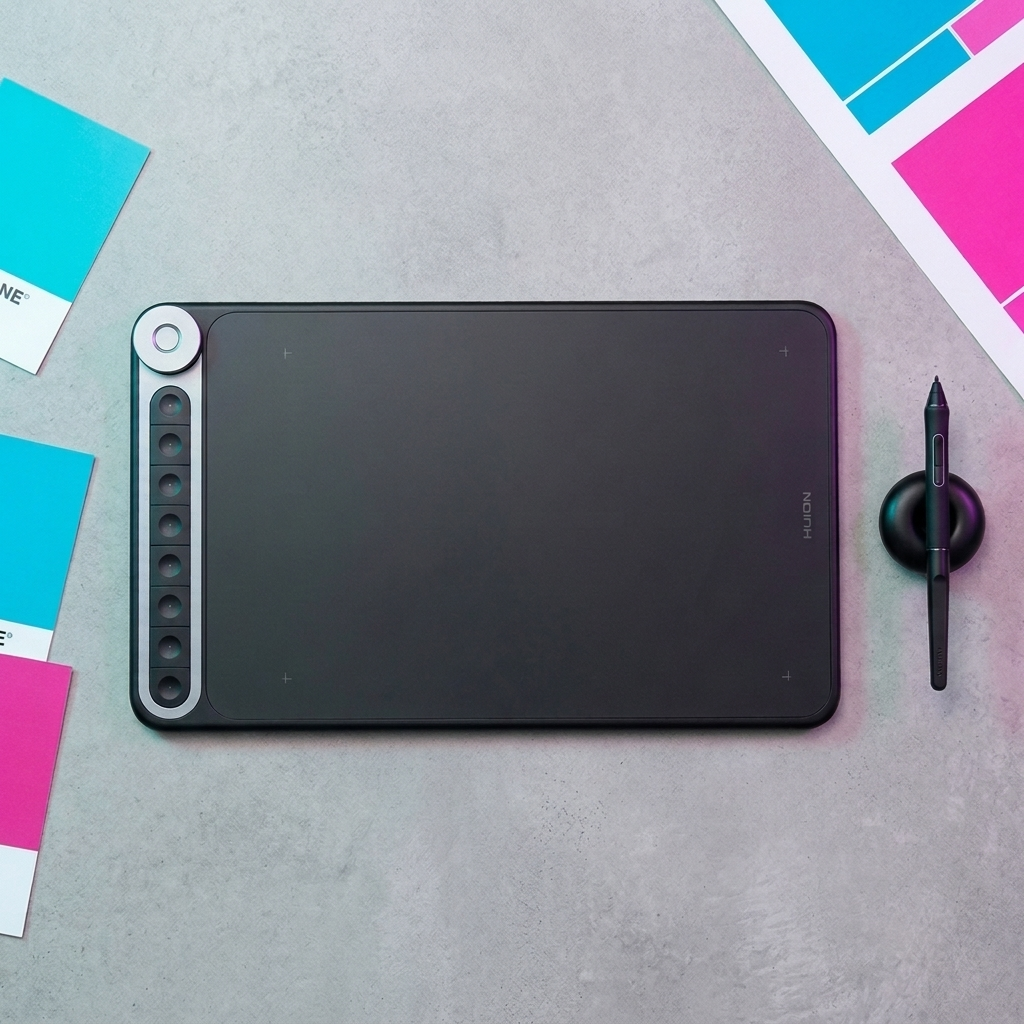
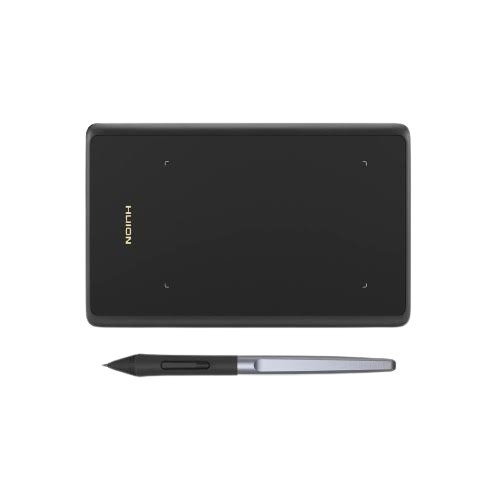
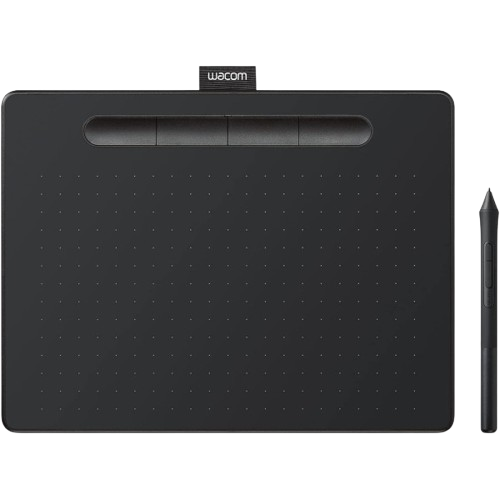
- Pen tablet (also called a graphics tablet): has no screen of its own. You draw on a flat pad while looking at your computer monitor, and the tablet sends the pen's position to your screen. It connects to a desktop or laptop and is usually the lowest-cost way into digital drawing. Browse the current range in Pen Tablets.
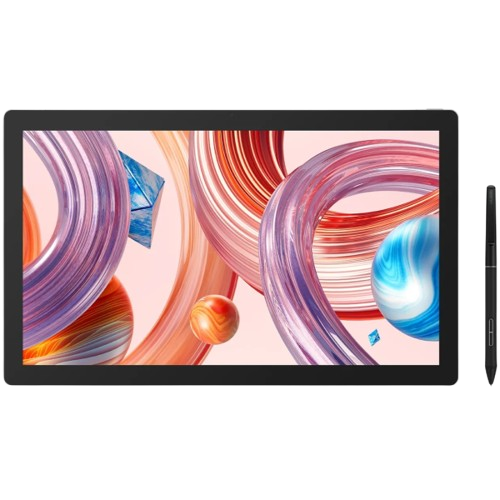
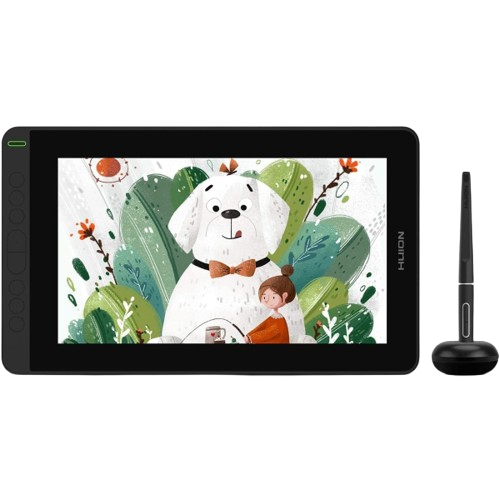
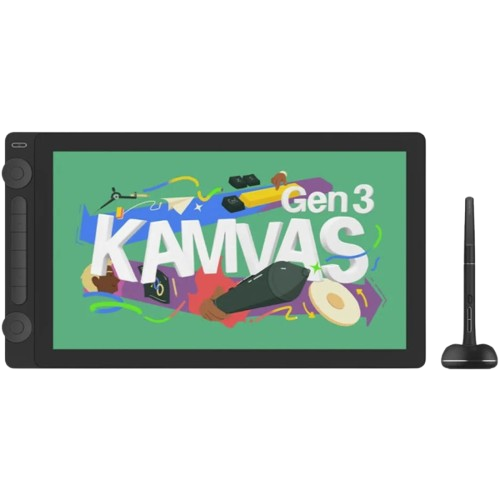
- Pen display: has a built-in screen, so you draw directly on what you see, similar to drawing on paper. It still needs to be connected to a separate computer to run your software. See the current options in Pen Displays.
- Pen computer: a standalone device with a drawing screen and a full computer built in. It runs Windows on its own and does not need a separate desktop or laptop to work. See Pen Computers for what's currently available.
| Type | Built-in screen | Needs a separate computer | Typical starting price | Good fit if |
|---|---|---|---|---|
| Pen tablet | No | Yes | Under Ksh 10,000 | You want the most affordable way to start, or already draw comfortably without looking at your hand |
| Pen display | Yes | Yes | From around Ksh 33,000 | You want to draw directly on the screen and have a desktop or laptop to connect it to |
| Pen computer | Yes | No | From around Ksh 190,000 | You want one self-contained device, with no separate computer required |
None of these types is universally better than the others. A pen tablet with no screen is still what many working illustrators prefer, mainly for cost and portability, while a pen display suits people who find it easier to trust their eyes over their hand. If you are not sure which fits you, our Find My Tablet tool asks four quick questions and narrows the catalogue down for you.
What Features Actually Matter?
Specification lists can make every tablet look impressive. In practice, a handful of features actually affect how a tablet feels to use.
- Active (working) area: the physical space you draw on. A larger area gives more room to move but requires more arm movement across the desk. Match it to your desk space and drawing style rather than assuming bigger is always better.
- Pressure sensitivity: measured in levels, most commonly 8,192 across this catalogue. This is enough for the overwhelming majority of drawing, sketching and painting work. A higher number is not a marker of skill or a requirement to draw well.
- Pen technology: many of the tablets in our current catalogue use battery-free styluses, but pen technology varies by model, so check the individual product page.
- Tilt support: lets art software respond to the angle you hold the pen at, useful for shading and calligraphy-style brushes. Not essential for line art or flat colour work.
- Shortcut keys and dials: physical buttons or dials for shortcuts like undo, zoom or brush size. Convenient once you're used to them, but not something a beginner needs to worry about upfront.
- Display quality, resolution and colour coverage: relevant only for pen displays and pen computers. Higher resolution and wider colour coverage (for example sRGB or Adobe RGB percentages) matter more for colour-critical work like illustration or photo editing than for sketching or note-taking.
- Connectivity: USB or Bluetooth. Wireless models free up desk space but need charging or batteries depending on the model.
- Operating system and software compatibility, and driver support: confirm a tablet works with your computer and the software you plan to use before buying. Driver downloads for supported models are available on our Software Drivers page.
For a fuller breakdown of these features across our Huion range, see Product Features.
Do Beginners Need a Screen?
This is usually the first real decision a new buyer faces, and there is no single correct answer.
A pen display can feel more natural early on because you draw directly on the line you're making, the same way you would on paper. A pen tablet asks you to look at your monitor while your hand moves on a separate surface, which can take some adjustment if you're used to drawing directly on a screen or on paper. Once that adjustment happens, many artists find it makes no real difference to their work.
The more useful way to decide is by budget, existing drawing experience and the kind of work you plan to do, not by treating a screen as an upgrade every beginner should aim for. If you're still unsure, Find My Tablet factors this in as one of its questions.
Which Type Fits Your Use Case?
A short guide by role. None of these are strict rules, and most tablets in this catalogue can be used well outside their "typical" buyer.
- Students: budget usually matters most. An entry-level pen tablet covers coursework, sketching and learning software without a large upfront cost.
- Beginners: either type works. Choose based on budget first, screen preference second.
- Graphic designers: a pen display's larger, direct drawing surface often suits layout and retouching work, though a capable pen tablet is a reasonable starting point too.
- Illustrators: many prefer the on-screen feel of a pen display, but plenty of professional illustration work is still done on screenless pen tablets.
- Photographers: colour accuracy matters for retouching, so a pen display with strong colour coverage is usually the more relevant choice.
- Teachers: simplicity and durability tend to matter more than advanced features, making a straightforward pen tablet a practical, lower-cost option for classroom or training use.
- Animators: a larger working area or display can help with sweeping motion work, though this depends heavily on the specific software and workflow used.
- Professional artists: existing workflow and habit usually decide this more than any general recommendation. Many professionals stay on the device type they learned on.
Huion vs Wacom in Kenya
Our current catalogue carries a much wider range of Huion tablets than Wacom tablets, which currently means two Wacom Intuos models. That difference in range, not a claim about which brand is better, is the honest starting point for this comparison.
Wacom is a long-established name in the industry and the two Intuos models we carry are capable, well-built pen tablets. Huion's range spans a wider set of price points and device types, including pen displays and the one pen computer in our catalogue, giving more room to match a specific budget or use case. Neither brand is objectively superior. The more useful question is which specific models are available in the type, working area and price range you need, since that will usually narrow the decision faster than a brand preference will.
See the current lineup in Wacom Tablets, and compare against the wider Huion range in Pen Tablets and Pen Displays.
How Much Does a Drawing Tablet Cost in Kenya?
Rather than inventing a separate pricing structure for this guide, we use the same four budget bands our Find My Tablet tool uses, so the guide and the tool stay consistent with each other.
| Budget band | What's realistically available |
|---|---|
| Under Ksh 10,000 | Entry-level pen tablets. No screen options exist at this price point in our catalogue. |
| Ksh 10,000 – 24,999 | Mid-range pen tablets with larger working areas or added controls, alongside our Wacom Intuos options. |
| Ksh 25,000 – 59,999 | The point where pen displays typically begin, including compact and mid-size screen options. |
| Ksh 60,000+ | Larger, higher-resolution pen displays and our one pen computer. |
These bands reflect how our own catalogue and recommendation tool are organised, not an industry-wide pricing standard.
Start With What Matters Most to You
Before the full list, here's a quick way to narrow things down by what you actually care about most. This is a starting point for your search, not a ranking of one category over another.
| Your priority | Start by looking at |
|---|---|
| Lowest-cost entry | Pen tablets under Ksh 10,000 |
| More working space without a screen | Mid-range pen tablets |
| Drawing directly on the screen | Pen displays |
| Large professional canvas | Large pen displays |
| A complete standalone computer | Pen computer |
| Wacom specifically | Wacom Intuos |
Graphics Tablets Kenya Recommendations by Budget
The eight tablets below are a representative selection across our range, not the full catalogue. Prices and availability below reflect the catalogue when this guide was last reviewed. Because stock and pricing can change, always confirm the current product page before ordering.
| Product | Price | Type | Availability | Good starting point if |
|---|---|---|---|---|
| Huion Inspiroy H420X | Ksh 5,999 | Pen tablet | Available | You want the lowest-cost way to try digital drawing, or need something compact and portable |
| Huion Inspiroy Q620M | Ksh 17,999 | Pen tablet | Available | You want a larger working area with a dial control and wireless connection, without moving up to a screen |
| Wacom Intuos Small | Ksh 15,000 | Pen tablet | Available | You specifically want a Wacom device and a compact working area is enough for your use |
| Wacom Intuos Medium | Ksh 24,000 | Pen tablet | Available | You want the same Wacom lineup with more working area for detailed illustration or retouching |
| Huion Kamvas 12 | Ksh 33,000 | Pen display | Available | You want to move to a screen for the first time without committing to a large-format display |
| Huion Kamvas 16 (Gen 3) | Ksh 66,500 | Pen display | Available | You draw regularly and want a larger, higher-resolution screen with dual dial controls |
| Huion Kamvas Pro 19 (4K) | Ksh 109,999 | Pen display | Available | Your work benefits from a large, high-resolution canvas and wide colour coverage, and your budget supports it |
| Huion Kamvas Studio 16 | Ksh 190,000 | Pen computer | Shipped from abroad | You want a single standalone drawing computer with no separate desktop or laptop required. This unit currently ships from abroad rather than from local stock, so allow more time for delivery than with our in-stock items. |
These are starting points for each budget and use case, not a ranked "best" list. The right choice depends on the type of device you need, as covered earlier in this guide, and the specific features that matter for your work.
Buying in Kenya vs Importing
Some buyers consider importing a tablet directly rather than buying locally. There are a few concrete factors worth weighing, based on what our own policies actually cover.
- Returns: our return policy allows a return within 48 hours of delivery if an item is defective, wrong, or has a verified manufacturer fault, provided it's returned in its original packaging with all accessories included. This kind of local recourse is harder to arrange when importing a unit yourself.
- Warranty: our policy specifically references manufacturer warranty from Huion for warranty claims. If you're considering a Wacom device, it's worth confirming warranty terms directly with us before purchase rather than assuming identical coverage.
- Delivery: delivery charges are handled on enquiry rather than a fixed published rate, so confirm delivery cost and timing for your location before ordering.
We don't have independent figures on import duties or overseas shipping costs to offer a direct cost comparison, so this section is best treated as "what local buying gives you," not a claim that importing is more expensive.
What Should You Check Before You Buy?
A short checklist worth going through before placing an order:
- Confirm which type of device you need: pen tablet, pen display or pen computer.
- Set a realistic budget using the bands above.
- Check the working area is comfortable for your desk and drawing style.
- Decide whether you actually want a screen, or whether a pen tablet suits you better.
- Confirm the tablet is compatible with your computer and the software you plan to use.
- Check driver availability for your model on our Software Drivers page.
- Read the availability status on the product page. "Available" means local stock; "Shipped from abroad" means a longer lead time.
- Check what's included in the box on the product page itself, since contents vary by model.
- Review our return and warranty information before ordering, not after.
- Consider whether you need extra accessories, such as replacement nibs or a stand.
If anything on this list is unclear for a specific model, our Support team can confirm it before you order.
How Find My Tablet Can Help
If you've read this far and still aren't sure which tablet to choose, Find My Tablet is built for exactly that. It asks four short questions, covering the type of device you want, your skill level, what you'll mainly use it for, and your budget, then narrows our catalogue down to the options that actually fit.
It won't guarantee a single perfect answer, since personal preference plays a real role in this decision, but it's a fast way to cut a full catalogue down to a short, relevant list.
Frequently Asked Questions
What's the difference between a drawing tablet and a pen display?
A drawing tablet (pen tablet) has no screen and connects to a computer you look at while drawing. A pen display has its own screen, so you draw directly on what you see.
Do I need an expensive tablet to start digital art?
No. Our entry point starts at Ksh 5,999 with the Huion Inspiroy H420X, which covers pressure-sensitive drawing and sketching for beginners.
Is Huion or Wacom better?
Neither is objectively better. Our catalogue currently carries a wider range of Huion devices and two Wacom Intuos models. The right choice depends on your budget, the device type you need, and which specific models are available.
Can I return a tablet if it doesn't work?
Yes. Our return policy allows a return within 48 hours of delivery for defective items, wrong items, or a verified manufacturer fault, provided the item is returned in original packaging with all accessories included.
What does "Shipped from abroad" mean?
It means the product is genuine and can be ordered, but it doesn't currently come from local stock, so expect a longer delivery time than an item marked "Available." Confirm the expected delivery window with our team before ordering.
Do I need a separate computer for a pen display?
Yes. Pen displays and pen tablets both need to be connected to a separate desktop or laptop. Only our pen computer, the Huion Kamvas Studio 16, works as a standalone device.
How much should I spend on a drawing tablet?
It depends on what you need it for. Our catalogue splits into four practical bands: under Ksh 10,000 for entry pen tablets, Ksh 10,000–24,999 for mid-range tablets, Ksh 25,000–59,999 for entry and mid-size pen displays, and Ksh 60,000+ for larger displays and our pen computer.
What pressure sensitivity level do I need?
8,192 levels, the level used across most of our range, is enough for the great majority of drawing and painting work. A higher number is not required to draw well.
Will my tablet work with Photoshop, Clip Studio Paint or Procreate?
Compatibility depends on the specific model, your operating system, and the software itself. Check the product page and our Software Drivers page for your model before buying, or ask our Support team to confirm.
Do I need a screen to do digital art properly?
No. Many professional artists work entirely on screenless pen tablets. A screen can make the initial learning curve feel more natural, but it isn't a requirement for producing professional-quality work.
Final Recommendation and Next Steps
If you already know which type of device fits your budget and work, use the links throughout this guide to browse that category directly. If you're still deciding, the fastest way forward is our Find My Tablet tool, which takes the information in this guide and turns it into a short, specific shortlist.
- Take the Find My Tablet quiz
- Browse Pen Tablets
- Browse Pen Displays
- Browse Wacom Tablets
- Contact Support if you'd like help before you order